
Does Asana Have a Client Portal? (The Honest 2026 Answer)
No, Asana does not have a native client portal. Here is exactly what Asana offers instead, why guest access falls short for client work, and the better options in 2026.
Founder & Product Lead · Droova
Contents 7 sections
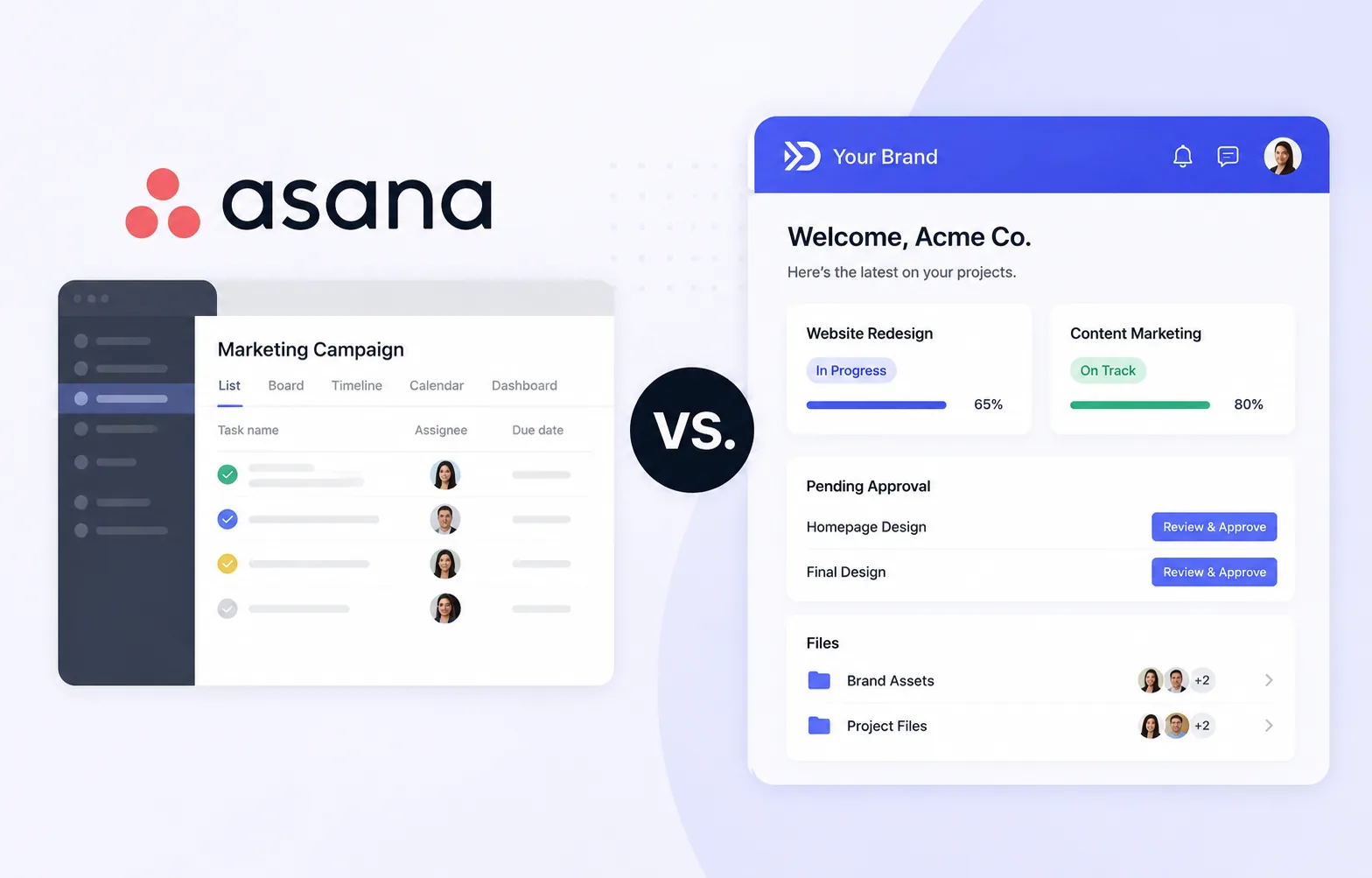
Short answer: No. Asana does not have a built-in client portal. Asana is an internal project management tool. It lets you invite external people as guests to specific projects, but it has no dedicated, branded space designed for clients to check status, approve work, and share files without seeing your team's internal mess.
If you have been searching for an "Asana client portal," you have probably already hit the wall: you want to give clients a clean window into their projects, but everything Asana offers feels like handing a stranger the keys to your workspace. This guide explains exactly what Asana does offer, why agencies keep outgrowing it for client-facing work, and what to use instead in 2026.
What Asana Actually Offers (Instead of a Portal)
Asana is genuinely good software for internal team execution. When people ask about a "client portal" in Asana, they are usually looking at one of these four features:
- Guest access: You can invite people from outside your organization into a specific project or task. They get an Asana login and see whatever you have shared.
- Project sharing and status updates: You can post project status updates and share a project view so a client can follow progress.
- Forms: Asana Forms let clients submit requests or intake information that lands as a task in your project.
- Proofing (higher tiers): On paid plans, clients can leave feedback directly on image and PDF attachments.
These are useful. But notice what they have in common: every one of them pulls the client into your Asana workspace. There is no separate, controlled, branded environment. That distinction is the entire problem.
Why Guest Access Is Not a Client Portal
Inviting a client as an Asana guest looks like a portal on day one. By month two, most agencies run into the same five issues.
1. Clients see the mess
Asana was built for your team, not your client. Even inside a single shared project, guests can stumble into internal comments, half-finished subtasks, blunt status labels, and conversations that were never meant for their eyes. Curating what a client sees becomes a manual, ongoing chore.
2. There is zero branding
Your client logs in and sees Asana's logo, Asana's colors, and Asana's interface. For an agency selling a premium, professional experience, sending clients to a generic third-party tool undercuts the polish you charge for. There is no white-label option that puts your brand front and center.
3. The seat math punishes you
Guests are free in Asana, but the moment a client needs to do anything beyond viewing, or you want proofing and advanced features, you are pushed up a pricing tier. Scale that across dozens of clients and the "free guest" story gets complicated fast.
4. Clients need to learn Asana
A portal should feel obvious to a non-technical client. Asana has a learning curve. Every client you onboard has to understand tasks, sections, and how to actually find the one thing they care about: is my project on track, and what do you need from me?
5. No real approvals or sign-off record
Client work lives and dies on approvals. Asana proofing helps with creative feedback, but there is no clean, structured "approve or request changes" flow tied to a deliverable, with a recorded name and timestamp you can point to later. When a client says "I never approved that," you want a receipt, not a comment thread.
Want to see what a proper approval record looks like? Try our free client approval form: send one link and get the client's name, email, time and exact words back, with no login for them.
The Workarounds Agencies Try (and Why They Break)
Because Asana has no portal, teams bolt one together. The common patterns:
- Shared project + heavy curation: Works until you forget to hide one internal note. High effort, fragile.
- Weekly status emails or Loom updates: Reintroduces the exact back-and-forth a portal is supposed to kill.
- A separate tool stacked on top: Now you are paying for Asana and a portal tool, and syncing between them by hand.
- A Notion or Google Sheet "portal": No approvals, no file structure, no notifications, and it looks exactly as duct-taped as it is.
Every workaround trades money, time, or professionalism. That is usually the signal an agency has outgrown Asana for client-facing work.
What a Real Client Portal Needs
If you are evaluating options, a proper client portal for agency work should give you:
- A separate client-facing space that shows only what you choose, never your internal workflow.
- Your branding, so the experience feels like an extension of your agency, not a rented tool.
- Clear project status a non-technical client understands in five seconds.
- Two-way file sharing so clients upload assets and you publish deliverables in one place.
- Structured approvals with a recorded sign-off you can reference.
- No per-client seat tax that makes growth expensive.
For a deeper breakdown, see our guide on what a client portal actually is and the best client portal software in 2026.
The Better Option: Project Management With a Portal Built In
The cleanest fix is not to bolt a portal onto Asana. It is to use a tool where the client portal is part of the same platform your team already works in, so nothing has to sync.
That is exactly how Droova is built. Your team runs projects, tasks, and pipelines internally, and each client gets a branded client portal that shows only the status, files, and deliverables you decide to surface. Clients see a clean, professional view, approve deliverables with a recorded sign-off, and share files, without ever touching your internal workspace or costing you a seat each.
In practice, agencies switching from Asana get three things they could not get before:
- A portal that carries their own brand, not a third party's.
- One platform instead of Asana plus a separate portal tool, so there is no manual syncing.
- Client approvals with a real record, so scope stays clear.
If you already like Asana for internal work but need the client layer it does not have, the comparison on our Asana alternative page lays out the differences side by side.
Bottom Line
Asana does not have a client portal, and its guest access is not a substitute once client work gets serious. You can curate shared projects or stack another tool on top, but both cost you time, money, or polish. If a branded, client-friendly portal matters to how your agency operates, use a platform that includes one natively rather than forcing Asana to be something it was never designed to be.
Want to see what a real client portal looks like next to your current setup? Book a 30-minute demo and bring a live project. We will set it up on Droova with you so you can judge the difference for yourself.
Frequently Asked Questions
Does Asana have a client portal?
No. Asana does not offer a native, branded client portal. It provides guest access, project sharing, forms, and proofing on higher tiers, but no dedicated client-facing space separate from your internal workspace.
Can I use Asana guest access as a client portal?
You can, but it has real limits: clients can see internal project details, there is no white-label branding, there is no structured deliverable approval with a recorded sign-off, and clients must learn Asana's interface. Most agencies find it does not hold up as they scale.
Are Asana guests free?
Basic guests can view and comment for free, but proofing, advanced features, and higher usage push you into paid tiers. Across many clients, the pricing and feature limits add up.
What is the best Asana alternative with a client portal?
Look for a platform that includes a branded client portal in the same tool your team uses, so nothing needs syncing. Droova is built this way: internal project management plus a white-label client portal with file sharing and recorded approvals. See our Asana alternative comparison for details.
Can clients approve work in Asana?
Asana proofing lets clients leave feedback on creative files on paid plans, but there is no clean approve-or-request-changes flow tied to a deliverable with a recorded name and timestamp. If sign-off records matter to your agency, that gap is worth addressing.
More from the journal
Tactics for running service businesses better - without the fluff.
Browse all posts →