
All-in-One CRM and Project Management Software (2026 Guide)
Why agencies are moving from separate CRM and PM tools to all-in-one platforms. The real cost of disconnected systems, what to look for, and how popular tools compare for combined CRM and project management.
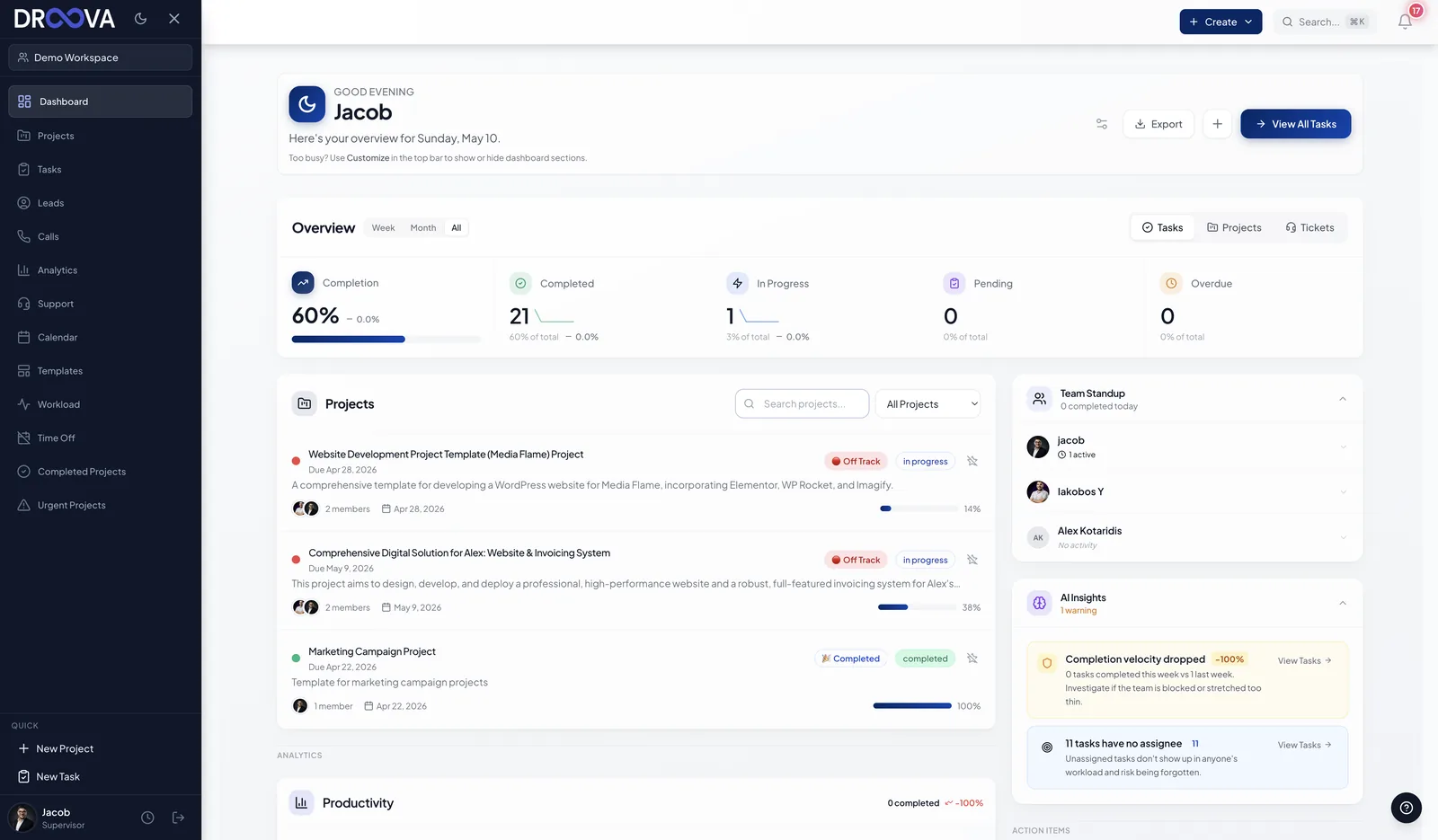
You close a deal in your CRM. Then you open your project management tool and recreate half the information. The client's name, the scope, the timeline, the budget - all manually copied from one system to another. Two weeks later, someone on the delivery team asks a question that was answered during the sales process, but the answer lives in the CRM that they never check.
This is the reality for most agencies running separate CRM and project management tools. And it is the reason a growing number of service businesses are consolidating into all-in-one platforms that handle both sales and delivery in a single workspace.
What Does "All-in-One CRM and Project Management" Actually Mean?
An all-in-one CRM and project management platform is a single tool that manages both sides of your client relationship:
- The commercial side (CRM) - leads, pipeline, proposals, calls, follow-ups, and deal tracking
- The delivery side (PM) - projects, tasks, deadlines, milestones, time tracking, and team assignments
The critical difference from using two separate tools is continuity. When a lead converts to a client, the project inherits the full context from sales. Notes, conversations, scope discussions, and budget details carry forward automatically. No copy-paste, no context loss, no "what did we promise?" meetings.
Some platforms go further by adding a client portal, support ticketing, and analytics into the same workspace. The goal is always the same: eliminate the gaps between how you sell work, how you deliver work, and how your clients experience that work.
The Problem with Running Separate CRM and PM Tools
On paper, best-of-breed sounds smart: pick the best CRM, pick the best PM tool, and connect them with Zapier. In practice, this approach creates problems that compound over time.
Data lives in two places
Client information exists in the CRM. Project information exists in the PM tool. When you need the full picture - "How is this client doing across both sales and delivery?" - you have to manually cross-reference two systems. Nobody does this consistently.
The sales-to-delivery handoff breaks
This is the most expensive gap in agency operations. The sales team captures detailed context during the proposal process: client goals, constraints, budget expectations, decision-makers, and specific requests. When the deal closes, some fraction of this context makes it into a kickoff document. The rest evaporates. The delivery team starts partially blind, and the client notices.
Integration maintenance becomes a job
Zapier connections break. API changes cause sync failures. Custom fields in one tool do not map to the other. Someone on your team becomes the unofficial "integration maintenance person," spending hours each month fixing data flows that should not exist in the first place.
Reporting is fragmented
You want to answer: "Which clients are our most profitable?" This requires combining CRM data (deal value, sales cycle) with PM data (hours spent, project timeline). With separate tools, this analysis requires exporting data from both systems and manually combining it in a spreadsheet.
Cost adds up faster than expected
A CRM subscription plus a PM subscription plus integration tools plus the time to maintain everything often costs 2-3x what a single platform would. For a 10-person agency, the combined cost of separate CRM and PM tools can easily exceed $500 per month before counting the operational overhead.
What to Look for in an All-in-One Platform
Not every platform that claims "CRM + PM" delivers on the promise. Here is what actually matters:
Native CRM with real pipeline management
The CRM should not be a bolted-on afterthought. You need a visual pipeline, deal stages, activity logging, call tracking, and follow-up reminders. If the CRM feels like a renamed spreadsheet view, it will not replace your standalone CRM.
Project management that handles real workflows
Kanban boards are a start, but agencies need task dependencies, subtasks, time tracking, multiple project views, and team workload visibility. If the PM side is too simple, your delivery team will resist switching from their current tool.
Seamless deal-to-project conversion
This is the feature that defines whether the "all-in-one" claim is real. When you close a deal, can you convert it to a project with one click? Does the project inherit client context, notes, and scope? Or do you still have to manually set everything up?
Client-facing capabilities
The best all-in-one platforms include a client portal so your clients can see project progress without you preparing manual updates. This completes the loop: sales tracks the relationship, project management handles delivery, and the portal keeps clients informed. Client portals for consultants and client portals for agencies are increasingly expected, not optional.
White-label branding
For agencies, the platform should present as your own. Your logo, your colors, your domain. When clients access their portal or receive notifications, they should see your brand - not a third-party tool name.
How Popular Tools Compare for All-in-One CRM + PM
Here is an honest assessment of how the main options handle the combination of CRM and project management:
Monday.com - Offers both CRM and PM as separate products on the same platform. They share the interface but are essentially two tools with limited cross-functionality. The CRM is relatively new and less mature than standalone alternatives. Full comparison here.
ClickUp - Powerful PM with a CRM template you can build using custom fields and views. Highly configurable but requires significant setup time to make the CRM functional. No native client portal or white-labeling. Full comparison here.
HubSpot + Asana/Monday - Best-of-breed approach. HubSpot handles CRM excellently, and Asana or Monday handles PM. The gap is the handoff between them, which requires integrations and manual processes.
Notion - Flexible enough to build both CRM and PM workflows using databases. But everything is manual - no pipeline automation, no deal tracking, no client portal, and no real-time project views for clients. Full comparison here.
Droova - Built specifically as an all-in-one platform for service businesses. Native CRM with pipeline management, project management with task tracking and time logging, branded client portal, support tickets, and white-labeling in a single workspace. The deal-to-project conversion is built into the core workflow. See all features.
Who Benefits Most from Consolidation
All-in-one platforms are not for everyone. Here is who gets the most value:
Agencies with 5-50 people - Large enough to need structure but small enough that managing multiple tool integrations is an unreasonable overhead. One platform means one login, one data source, and one vendor relationship.
Service businesses with repeat clients - If your clients come back for multiple projects, the CRM's relationship history becomes invaluable for delivery context. The second project starts with full knowledge of the first, not a blank slate.
Teams where multiple people touch the client - Sales, account management, project delivery, and support all need visibility into the same client record. Separate tools create information silos between these functions.
Agencies that value client experience - If you compete on professionalism and client communication, a unified platform with a branded portal delivers a noticeably better experience than cobbled-together tools.
When Separate Tools Still Make Sense
Consolidation is not always the right move. Keep your separate CRM and PM if:
- Your team exceeds 100 people and needs enterprise-grade features in both CRM and PM
- You have heavily customized workflows in your current tools that cannot be replicated
- Your sales and delivery teams genuinely operate as separate organizations with no shared context
- You have already invested significant time and money in integrations that work reliably
For most agencies under 50 people, the benefits of consolidation outweigh the switching cost within the first quarter.
How to Evaluate If Consolidation Is Right for Your Agency
Before switching, answer these questions honestly:
- How much time does your team spend on CRM-to-PM handoffs? If it is more than 30 minutes per deal, consolidation saves real time.
- How often does context get lost between sales and delivery? If it happens on more than 20% of projects, you have a systemic problem that integrations will not solve.
- What is the total cost of your current tool stack? Add CRM, PM, portal, integrations, and time. Compare this to all-in-one pricing.
- Is your team actually using the CRM? If adoption is low because the CRM is disconnected from daily work, an all-in-one platform solves the adoption problem by making the CRM part of the workflow, not a separate chore.
- Do your clients interact with multiple systems? If clients use one portal for files and another for communication and a third for approvals, consolidation dramatically improves their experience.
Key Takeaways
- Separate CRM and PM tools create data silos, broken handoffs, and hidden costs that compound as agencies grow
- All-in-one platforms eliminate integration complexity by keeping sales and delivery in one workspace
- The most important feature is seamless deal-to-project conversion that preserves full client context
- Agencies with 5-50 people, repeat clients, and multi-person client teams benefit most from consolidation
- Evaluate switching cost against the ongoing cost of maintaining separate tools - for most agencies, consolidation pays off within the first quarter
Ready to see CRM and project management working together? Book a demo and we will walk through a complete agency workflow from lead capture to project delivery in one platform.
More from the journal
Tactics for running service businesses better - without the fluff.
Browse all posts →