
Client Portal vs Project Management Tool: What's the Difference?
Project management tools help your team do the work. Client portals help your clients see the work. This guide explains the difference, when you need both, and the three ways to get them.
Contents 10 sections
If you manage client work, you have probably asked yourself: do I need a client portal, a project management tool, or both? The terms get mixed up constantly. Vendors blur the lines. Agencies buy one thinking it covers the other, then realize too late that it does not.
This guide explains what each one actually does, where they overlap, where they diverge, and how to decide what your team needs in 2026.
What Is a Project Management Tool?
A project management tool is internal-facing software that helps your team plan, organize, track, and complete work. It is the operating system for your delivery team.
Core capabilities of a PM tool include:
- Task management: Create tasks, assign owners, set deadlines, add priorities, and track completion status
- Project organization: Group tasks into projects with milestones, phases, and dependencies
- Views: Kanban boards, list views, calendar views, and sometimes Gantt charts
- Collaboration: Comments on tasks, file attachments, and activity feeds for your team
- Reporting: Progress dashboards, workload views, and project health metrics
- Time tracking: Logging hours spent on tasks and projects (in some tools)
Popular PM tools include ClickUp, Asana, Monday.com, Jira, Trello, and Notion. Each has its strengths, but they all share the same fundamental purpose: help your team get work done.
The audience for a PM tool is your internal team. Designers, developers, project managers, account managers. The interface is built for people who live inside the tool every day.
What Is a Client Portal?
A client portal is external-facing software that gives your clients a window into their project. Instead of emailing status updates or scheduling calls to review progress, clients can see what is happening themselves.
A client portal typically shows:
- Project progress: Which tasks or milestones are complete, in progress, or upcoming
- Deliverables: Files, documents, and assets the client needs to review or approve
- Feedback mechanism: A way for clients to leave comments, approve work, or request changes
- Timeline visibility: When things are expected to be done
- Communication log: A record of decisions and conversations in one place
The audience for a client portal is your client, the person paying for the work. The interface should be simple, branded, and require zero training. If a client has to watch a tutorial to check their project status, your portal has failed.
What Does "Client Portal" Mean for Agencies?
For agencies specifically, a client portal means a branded, secure space where each client can see only their own projects and deliverables. It replaces the weekly status email, the "just checking in" Slack messages, and the awkward "where are we on this?" phone calls.
The best implementations work like this: you share a link. The client bookmarks it. They check it whenever they want. No login, no password, no account creation. They see your logo, your colors, and their project data in real time. From the client's perspective, it feels like your agency built them a custom dashboard.
Read more: Client Portal for Agencies
The Key Difference
Here is the simplest way to think about it:
A project management tool is where your team does the work. A client portal is where your client sees the work.
They serve different audiences with different needs:
| Dimension | Project Management Tool | Client Portal |
|---|---|---|
| Primary user | Your internal team | Your client |
| Purpose | Plan, execute, and track work | Show progress and collect feedback |
| Complexity | Feature-rich (tasks, subtasks, views, automations) | Simple (status, files, comments) |
| Branding | The tool's brand (ClickUp, Asana, etc.) | Your agency's brand |
| Access | Login required, accounts for each user | Ideally no login, shared link |
| Training needed | Hours to days | Zero |
| Data shown | Everything (internal notes, time logs, costs) | Curated (only what the client should see) |
The confusion happens because some PM tools let you invite clients as "guest users." Technically, your client can log in and see tasks. But this is not a client portal. It is your internal tool with a guest seat. The client sees your tool's interface, your tool's branding, and the same complexity your team deals with daily.
A real client portal curates what the client sees. It hides internal discussions, cost data, and task-level details that would overwhelm or confuse them. It shows progress, deliverables, and next steps in a clean, branded format.
Do You Need Both?
It depends on your work. Here is a simple framework:
You Only Need a PM Tool If...
- Your work is entirely internal (no external clients)
- Your team builds products, not client deliverables
- Nobody outside your organization needs to see project progress
- You are a software team running sprints with no client-facing deliverables
You Need Both If...
- You run an agency, consultancy, or freelance practice with external clients
- Clients regularly ask "where are we on this?"
- You spend more than 2 hours per week writing status update emails
- Multiple stakeholders on the client side need visibility into the project
- You want to present a professional, branded experience to clients
- You deliver ongoing work (retainers, maintenance, support) where visibility matters
If you are doing client work of any kind, the answer is almost always: you need both. The question is whether you get them as two separate tools or as one unified platform.
Three Ways to Get Client Portal + PM
Option 1: Separate PM Tool + Separate Portal Tool
Buy a PM tool (like ClickUp or Asana) and a dedicated client portal tool (like Copilot or SuiteDash).
Pros: You pick the best tool in each category.
Cons: The two tools do not share data natively. You need to manually sync project updates to the portal, or set up integrations that require maintenance. When an integration breaks, your client sees stale data without you knowing. The cost is also higher: two subscriptions, two logins, two sets of users to manage.
We see this approach fail most often with agencies over 10 people. The manual sync becomes unsustainable, and the integrations break at the worst possible moments.
Option 2: PM Tool with Guest Access
Use your PM tool's built-in guest or external user feature to invite clients directly.
Pros: No extra tool needed. Data is automatically in sync because it is the same system.
Cons: The client sees your internal tool, not a curated portal. They see the ClickUp logo, not your logo. They navigate the same complex interface your team uses. They might stumble into internal comments or cost data you did not mean to share. And they need to create an account and learn a new tool, which adds friction many clients resist.
This approach works for a single long-term client who is willing to learn your tools. It does not scale to multiple clients with different comfort levels.
Option 3: Unified Platform with Built-in Client Portal
Use a platform that includes both PM and a native client portal in one system.
Pros: Data is always in sync because the portal pulls directly from your project data. The portal is purpose-built for clients: simple, branded, no login required. One subscription, one system to manage. Your team works in the PM side, clients see the portal side, and neither crosses into the other's world.
Cons: Fewer choices in this category compared to standalone tools. The PM features may not be as deep as a dedicated PM-only tool.
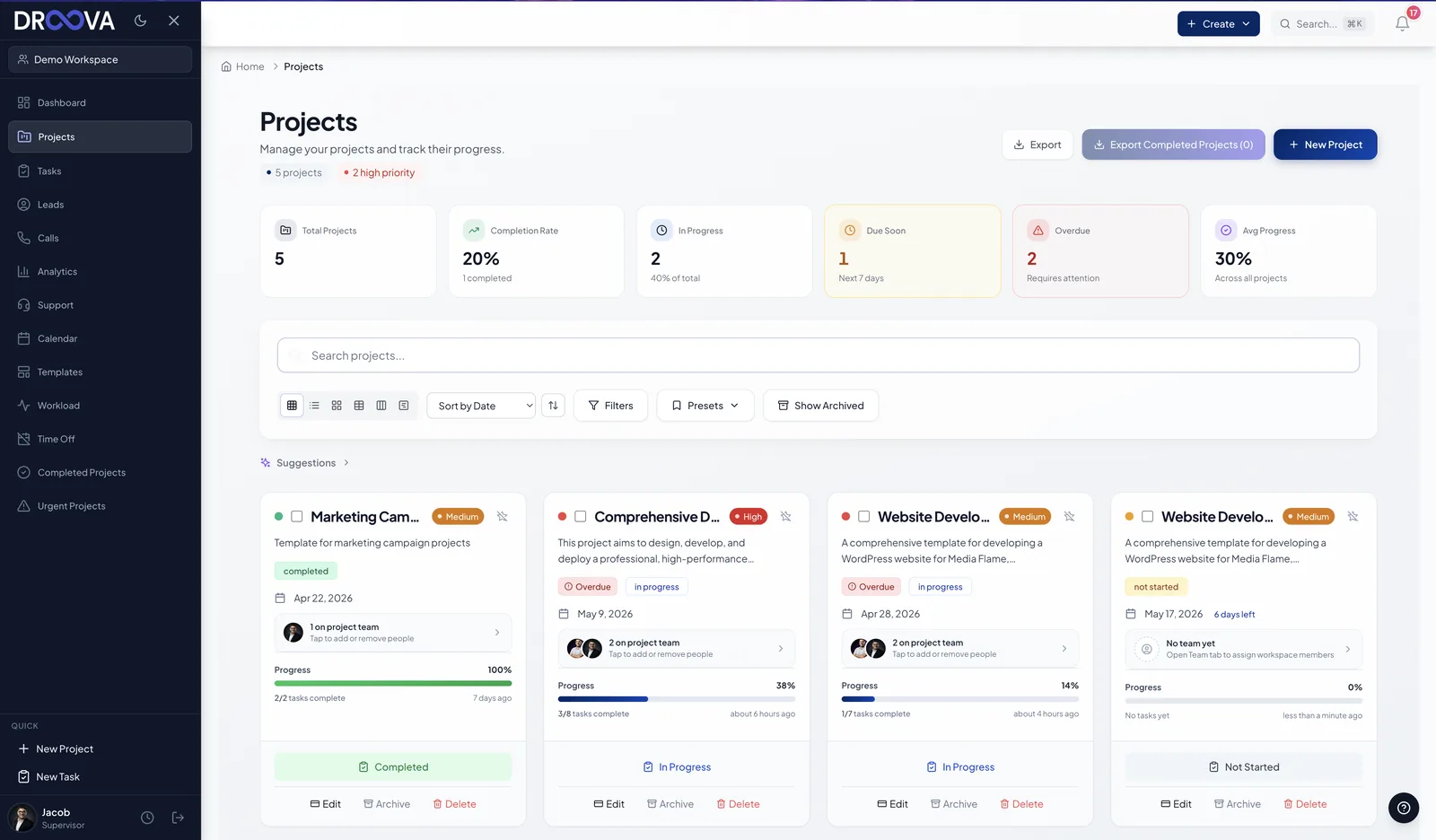
Droova was built around this model. The internal side gives your team full project management with tasks, subtasks, Kanban boards, time tracking, and CRM. The client side provides a branded portal where clients view progress, access files, and leave feedback through a shared link with no account required. The two sides share data automatically because they are the same system.
What to Look for in a Client Portal
If you are evaluating client portal options, whether standalone or built into a PM tool, here is what actually matters based on what agencies and consultancies tell us:
No Login Required
Every login barrier reduces adoption. The more steps between "I want to check my project" and actually seeing the project, the fewer clients will use the portal. A shared link that works instantly is the gold standard. Password protection should be optional for sensitive projects, not mandatory for everything.
Your Branding, Not Theirs
When a client opens the portal and sees another company's logo, it diminishes your brand. White-label branding means the portal shows your logo, your colors, and your company name. From the client's perspective, you built this for them.
Curated View
Clients should see progress, deliverables, and next steps. They should not see internal discussions, time logs, cost calculations, or task-level implementation details. The portal should let you control exactly what is visible.
Feedback Collection
The portal should let clients respond, not just observe. Approval buttons, comment fields, or feedback forms let clients communicate within the portal instead of switching to email. This keeps all project communication in one place.
Mobile Friendly
Clients check project status on their phones. If your portal does not work well on mobile, you are losing a significant portion of engagement. This is especially true for freelancers' clients who tend to check updates during commutes and between meetings.
For a deeper comparison of portal options, read our Best Client Portal Software guide.
Common Mistakes When Choosing
Mistake 1: Assuming Your PM Tool's Guest Feature Is a Portal
Inviting a client as a guest into ClickUp or Asana is not the same as giving them a client portal. Guest access shows them your tool with reduced permissions. A portal shows them a curated, branded experience designed for their needs. These are fundamentally different experiences.
Mistake 2: Building a Custom Portal
Some agencies build their own client portal with custom code. This sounds great until you factor in the development time (typically 200-500 hours), ongoing maintenance, feature requests from clients, security updates, and the opportunity cost of developer time that could be spent on client work. Unless your portal is a core product offering, build vs. buy almost always favors buying.
Mistake 3: Choosing Based on Feature Count
The portal with the most features is rarely the best one. Clients want simplicity. A portal with 30 features that takes 10 minutes to navigate is worse than a portal with 5 features that takes 10 seconds. Evaluate based on the client experience, not the feature list.
Mistake 4: Ignoring the Data Sync Problem
If your portal and PM tool are separate systems, someone has to keep them in sync. Either manually (which fails within weeks) or through integrations (which break without warning). The moment your client sees outdated data in the portal, their trust in the system disappears. And that trust is extremely hard to rebuild.
How the Best Agencies Handle It
The agencies with the highest client retention rates share a pattern: they use a single system where the team works and the client observes.
The workflow looks like this:
- A lead comes in through the website or a referral
- The agency qualifies the lead in the CRM with call tracking and follow-up notes
- The lead converts to a project. All context transfers automatically
- The team manages the project with tasks, subtasks, and deadlines
- The client views progress through a branded portal link
- Deliverables are shared through the portal. Feedback comes back through the portal
- Post-delivery support requests become tickets linked to the original project
No handoffs between systems. No manual syncing. No stale data. The team and the client see the same truth, just through different lenses.
This is exactly the workflow Droova was designed for. One platform, two interfaces: full PM for your team, clean portal for your clients. See our agency project management guide for a deeper dive into how this works in practice.
Frequently Asked Questions
Can I use a project management tool as a client portal?
Technically yes, by inviting clients as guests. Practically, it creates a poor experience. Clients see your internal tool's interface and branding, navigate unnecessary complexity, and may access information you did not intend to share. A dedicated client portal, or a PM tool with a built-in portal feature, provides a much better client experience.
Do I need a client portal if I only have a few clients?
Even with 2-3 clients, a portal saves time. Each client who can check their own project status is one fewer weekly status email you have to write. Multiply that by the months or years of a client relationship, and the time savings are significant. Plus, clients perceive you as more professional when you offer a branded portal experience.
What is the difference between a client portal and a customer portal?
They are often used interchangeably, but there is a nuance. A "client portal" typically refers to B2B relationships where you are delivering a project or ongoing service. A "customer portal" often refers to B2C or product-based relationships (e.g., checking order status, managing a subscription). For agencies and consultancies, "client portal" is the more accurate term.
How much does a client portal cost?
Standalone client portal tools range from $10-50/user/month. However, if you use a unified platform like Droova that includes a client portal alongside project management and CRM, the portal is included at no extra cost. The total cost of a unified platform is typically lower than buying PM + portal + CRM separately.
Can my clients see internal notes and time logs in the portal?
Not if the portal is properly designed. A good client portal lets you control exactly what clients see. Internal discussions, time tracking data, cost calculations, and task-level implementation details stay hidden. Clients only see what you choose to share: progress, deliverables, and next steps.
Key Takeaways
A project management tool and a client portal solve different problems for different audiences. Your team needs a PM tool to plan and execute work. Your clients need a portal to see progress and provide feedback. Conflating the two leads to either overwhelmed clients or under-served teams.
If you do client work, you need both. The most efficient approach is a unified platform where the PM and portal share the same data automatically. This eliminates sync issues, reduces tool costs, and ensures your client always sees the latest information.
Ready to see how a unified approach works? Book a demo with Droova to see the PM and client portal working together, or explore our workflow tool comparison to evaluate your options.
More from the journal
Tactics for running service businesses better - without the fluff.
Browse all posts →