
The Modern Agency Tech Stack: CRM, Project Management, and Client Portal Explained
An honest look at the modern agency tech stack what each layer does, why most setups fail, and how to choose between disconnected tools, integrated stacks, and unified platforms in 2026.
Contents 7 sections
Every agency runs on a tech stack, whether they realize it or not. The stack is the set of tools that handle leads, projects, clients, and communication. Most agencies build their stack accidentally adding tools as problems arise, never auditing the result. By year three, the stack is more expensive, more brittle, and more confusing than anyone planned.
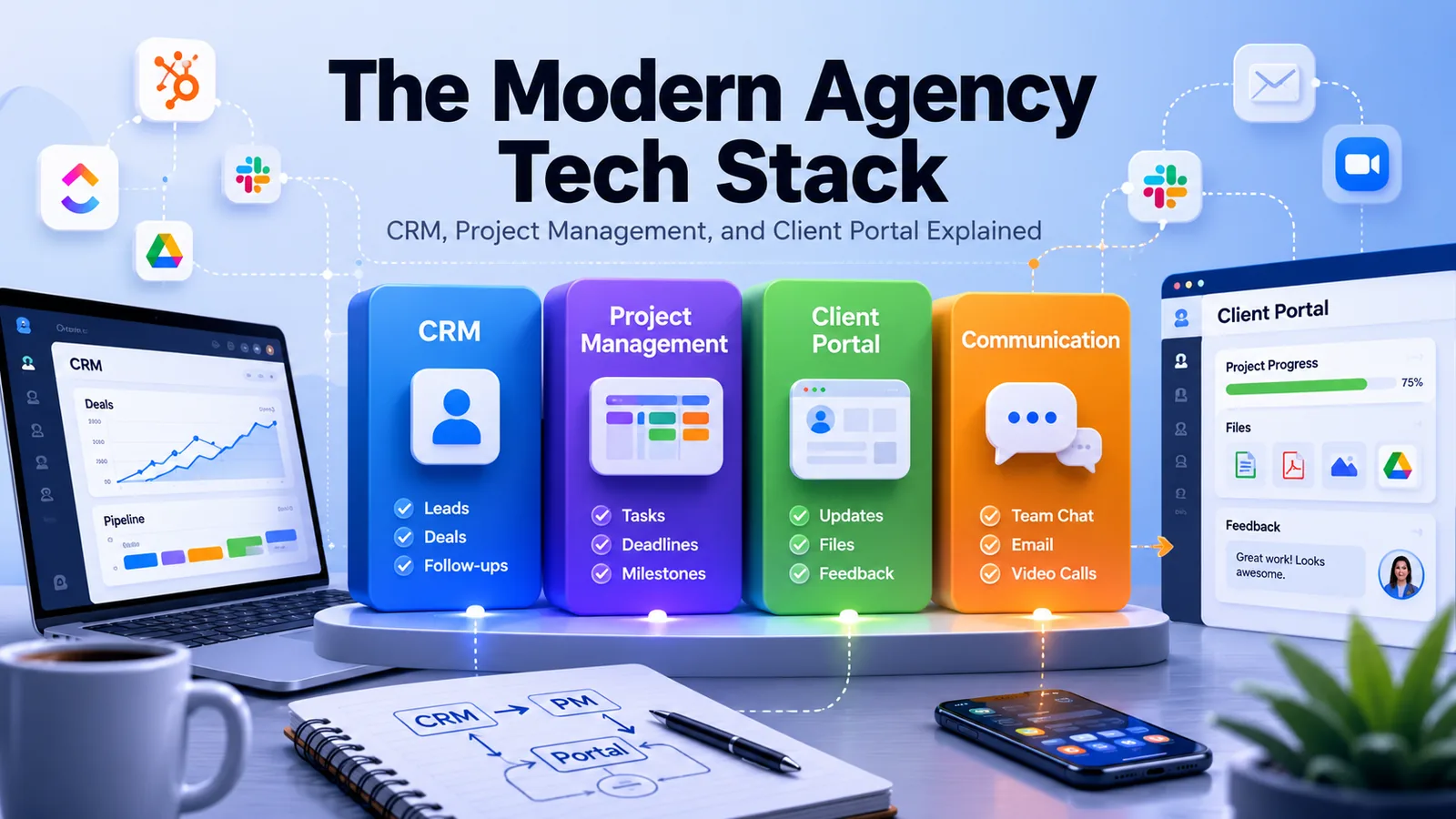
This guide is the antidote: a structured look at the modern agency tech stack in 2026. We'll cover the four pillars (CRM, project management, client portal, and communication), the most common stack patterns, why fragmented stacks fail, and the three architectural choices every agency eventually has to make.
If you're an agency owner trying to plan your next 12 months of tooling decisions, this is the framework.
The Four Pillars of an Agency Tech Stack
Every agency, regardless of size, has the same four functional needs. The pillars don't change. What changes is how many tools you use to cover them, and how well those tools talk to each other.
Pillar 1: CRM (Customer Relationship Management)
CRM tracks everything before a deal closes. Leads, conversations, follow-ups, deal stages, sales activities, and conversion rates. The CRM is your sales team's source of truth.
What a good CRM does for an agency:
Captures inbound leads automatically (forms, calls, referrals)
Tracks the conversation history for every prospect
Surfaces follow-up tasks so leads don't go cold
Reports on conversion rates by source, service type, and salesperson
Hands off cleanly to delivery when a deal closes
Common tools: HubSpot, Pipedrive, Salesforce, Folk, Attio, Close. Increasingly, unified platforms like Droova include native CRM tied to project delivery see our CRM + project management guide for a full comparison.
Pillar 2: Project Management
PM tracks everything after a deal closes. Tasks, deadlines, assignments, deliverables, milestones, and dependencies. The PM tool is where delivery teams live day-to-day.
What a good PM tool does for an agency:
Multiple views (kanban, list, calendar, Gantt) for different work styles
Templates for repeatable project types
Time tracking integrated with tasks
Resource management to prevent over-assigning team members
Reporting on profitability, capacity, and project health
Common tools: ClickUp, Asana, Monday.com, Notion, Teamwork, Linear (for product teams), Jira (for engineering-heavy work). For a deeper dive, see our PM software guide.
Pillar 3: Client Portal
The client portal is what your clients see. It's the place where they check progress, view files, comment on work, and feel informed without needing to email you for updates. The portal is the most underrated pillar most agencies don't have one until clients start complaining.
What a good portal does for an agency:
Shows project progress in a way clients can understand without training
Centralizes file delivery (no more "did you get the file?" emails)
Captures client feedback in context (on tasks, not in scattered email threads)
Reduces status-update emails by surfacing the same information automatically
Reinforces your brand (white-label) rather than diluting it (generic SaaS UI)
Common tools: Copilot, SuiteDash, Bonsai (for solo), Plutio, ClickUp guests (workaround), Notion sharing (workaround). See our portal vs PM guide to understand why these are actually different things.
Pillar 4: Communication
Communication is the layer where humans talk: Slack channels, emails, video calls, comments. It's the connective tissue between the other three pillars. Most agencies use Slack for internal, email for client, and Loom or Zoom for async/sync video.
What good communication tooling does for an agency:
Internal coordination without endless meetings
Client communication that's preserved alongside project context (not lost in inboxes)
Async video for explaining complex feedback without scheduling calls
Common tools: Slack, Microsoft Teams, Email, Loom, Zoom, Google Meet.
Common Agency Stack Patterns
Most agencies don't design their stack they accumulate it. Here are the most common stack patterns we see, with honest pros and cons.
Pattern 1: HubSpot + ClickUp + Slack
The most common mid-size agency stack. HubSpot handles CRM and marketing. ClickUp handles project delivery. Slack handles team communication. Email handles client communication. Files live in Google Drive.
Strengths:
Each tool is excellent at its job
Hiring is easy - most agency professionals know these tools
Lots of templates and community resources
Weaknesses:
No native handoff from CRM to PM - manual project creation when deals close
No client portal - clients have to email for updates or use ClickUp guest access
Two subscriptions ($50-150/seat combined)
Maintenance of integrations (Zapier, native connectors) becomes ops work
This stack works until it doesn't - usually around 10-15 employees when integration tax becomes painful.
Pattern 2: Notion + Slack + Email
The lean, scrappy stack. Notion handles everything that's "documentable" - projects, briefs, knowledge base, sometimes CRM. Slack and email handle the live conversation.
Strengths:
Cheap (Notion is $10/seat for most agency use)
Flexible - you can shape the tool to your workflow
Beautiful UI; clients sometimes appreciate the design
Weaknesses:
No real CRM - sales lives in spreadsheets or external tools
No real PM - kanban exists but reporting and resource management don't
No real client portal - page sharing leaks internal context
Templates rot quickly
Reporting is essentially impossible
Best fit: solo operators and very small agencies (1-5 people) where flexibility matters more than structure. Breaks fast above that. See our Notion alternative for what scales beyond it.
Pattern 3: Monday.com (Work + CRM) + Slack
The "design-forward" stack. Monday's visual boards appeal to creative agencies. They've added a separate CRM product, so you're using two Monday products that talk to each other.
Strengths:
Visually polished - clients see boards that look professional
CRM and PM share more data than separate tools would
Strong dashboards and reporting
Weaknesses:
Two subscriptions (Work Management + Sales CRM)
No native client portal - clients use board guest access
Customization can become unwieldy at scale
See our Monday alternative page for trade-offs.
Pattern 4: Asana + HubSpot + Slack + Copilot
The "polished mid-market" stack. Asana for delivery, HubSpot for sales, Slack for internal, Copilot for client portal. Each tool is well-regarded; the combination is what creates the friction.
Strengths:
Best-in-class in each function
Strong dashboards in each tool individually
Mature ecosystem of integrations and consultants
Weaknesses:
Four subscriptions, often $150+/seat combined
Integration layer (Zapier or native) adds complexity
Onboarding new hires takes 1-2 weeks
Reporting across tools requires a BI layer
See our Asana alternative page for what consolidates this.
Pattern 5: Unified Platform (Droova or similar)
The consolidated stack. CRM, PM, client portal, and tickets in one platform. Slack and email still handle live conversation, but everything else lives in one tool with one data model.
Strengths:
One subscription, one source of truth
Native handoff from sales to delivery (no manual recreation)
Native client portal with proper white-label
Reporting works because data is unified
Onboarding new hires is faster - one navigation pattern
Weaknesses:
Less depth in any individual function vs. best-in-class tools
Migration cost from existing tools (one-time)
Smaller ecosystem of templates/consultants vs. mature individual tools
This is the architecture more agencies are picking in 2026 because the integration tax of fragmented stacks compounds painfully past 10 employees.
Why Fragmented Stacks Fail
Fragmented stacks fail for the same five reasons, regardless of which specific tools are involved.
1. Data Falls Out of Sync
Client information lives in CRM, project information lives in PM, files live in Drive, billing lives in Stripe. When something changes - a contact updates their email, a project deadline shifts - the change propagates to one tool but not the others. A month later, no one knows which tool has the right answer.
2. Integration Layer Is Operational Debt
Every Zapier zap, every native connector, every webhook is a piece of code that can break silently. When it breaks, the symptom shows up days later as a missing invoice, a duplicate task, or a notification that didn't fire. Each broken integration is an hour of detective work. By year three, someone on the team is spending 5+ hours/week maintaining integrations.
3. Context Doesn't Travel
A salesperson learns about a client's preferences, internal politics, and constraints during the sales process. None of that lives in the PM tool when the project starts. The delivery team rebuilds context through awkward kickoff calls. Clients say "I already told your sales team this" - and you've burned trust before work begins.
4. Reporting Becomes Manual
Cross-tool reporting requires exporting CSVs from each tool, matching records, and building pivots. Most agencies attempt this once, give up, and operate on instinct. The cost of not knowing your real margins by service type is invisible but enormous.
5. Hiring and Onboarding Slow Down
Each new hire learns 6-8 tools, finds their accounts, gets permissions configured, and figures out which tool is canonical for what. That's two weeks before they're productive. Multiply across hires per year and you've added significant operational drag.
The Three Architectural Choices
Every agency eventually has to make one of three architectural decisions about their stack. The right choice depends on your size, complexity, and where you're willing to invest operational capacity.
Choice 1: Disconnected Specialists
Best-in-class tools for each function, loosely connected via integrations. Maximum depth in each tool, maximum operational tax to maintain.
Right fit: Large agencies (50+ people) with dedicated ops teams who can afford to maintain integrations professionally. Often the right choice for agencies with very specialized workflows that no unified platform covers.
Wrong fit: Mid-size agencies (5-30 people) who think they want best-in-class but can't dedicate resources to maintaining the stack. Most agencies in this range end up here by default and suffer for it.
Choice 2: Integrated Stack
A small number of tools that integrate deeply, often from the same vendor. Examples: Monday Work + Monday CRM, Asana + Asana Goals + Asana Time Tracking, ClickUp's all-in-one bundle.
Right fit: Agencies who want a "best of both worlds" - more depth than a unified platform, less operational tax than a fully fragmented stack.
Wrong fit: Agencies who need a true client portal (most vendor stacks don't have proper white-label client portals) or whose workflow requires sales-to-delivery handoff that the vendor's integration doesn't cover well.
Choice 3: Unified Platform
One platform that handles CRM, PM, client portal, and tickets natively. You give up some depth in each function in exchange for native integration and shared data.
Right fit: Most agencies in the 5-50 person range whose primary pain isn't "this individual tool isn't deep enough" but rather "our tools don't talk to each other." Agencies with strong client-portal needs (white-label, branded experience) are particularly well-served here.
Wrong fit: Agencies whose workflows require very specialized depth in one function for example, agencies running massive marketing automation campaigns where HubSpot's depth is the actual product.
How to Audit Your Current Stack
Before deciding what to change, audit what you have. Here's the framework.
Step 1: List Every Tool
Make a spreadsheet. List every tool your agency pays for, what it costs per month, what function it covers, and how many people use it. Most agencies are surprised at the total when they see it written out.
Step 2: Map Tools to Pillars
For each pillar (CRM, PM, Portal, Communication), list which tools cover it. If two tools cover the same pillar, ask why. Sometimes the answer is "historical accident" - and consolidating saves money and friction.
Step 3: Identify the Integration Layer
List every Zapier zap, every native connector, every webhook. For each one, ask: what happens when it breaks? Who notices? How long until it's fixed? This list is your operational debt.
Step 4: Measure Pain
Ask three project managers: "Where does the budget for the Acme project live?" If you get three different answers, your data isn't unified. Ask three salespeople: "What's our conversion rate from referral leads?" If they can't answer in two minutes, your reporting is broken.
Step 5: Decide Architecture
Based on your size, ops capacity, and pain points, pick one of the three architectures. Then plan your migration around that choice.
Migration Sequence (If You're Switching)
If your audit suggests switching, here's the proven sequence agencies use to minimize disruption.
Week 1-2: Migrate the CRM. Sales pipeline data is the easiest to move and the most painful to leave fragmented.
Week 3-4: Run new projects in the new system. Don't migrate active projects - just start new ones in the new tool.
Week 5-8: Onboard one client to the new portal. Get feedback. Iterate.
Week 9-12: Migrate active projects gradually as they complete in the old tool.
Day 90: Cancel the old subscriptions. The forcing function completes the migration.
Final Recommendation
For most agencies in the 5-50 person range, the unified platform architecture is the highest-leverage choice. It reduces operational tax, makes reporting possible, accelerates onboarding, and produces a better client experience through native white-label portals.
For larger agencies (50+) with dedicated ops teams, the integrated or disconnected stack remains viable - but most agencies overestimate their ability to maintain a fragmented stack and underestimate the operational tax until they're three years in.
The single most important question to ask before any tooling decision: which architecture matches our size and ops capacity? Tool selection follows from that. Tool selection without the architectural decision underneath is how stacks become accidents.
If you're auditing your stack and unified architecture is starting to look right, book a 30-minute demo to see how Droova handles the full agency lifecycle. Or explore all features, the tool comparison guide, or the relevant alternative pages: vs ClickUp, vs Asana, vs Notion, vs Monday.
More from the journal
Tactics for running service businesses better - without the fluff.
Browse all posts →